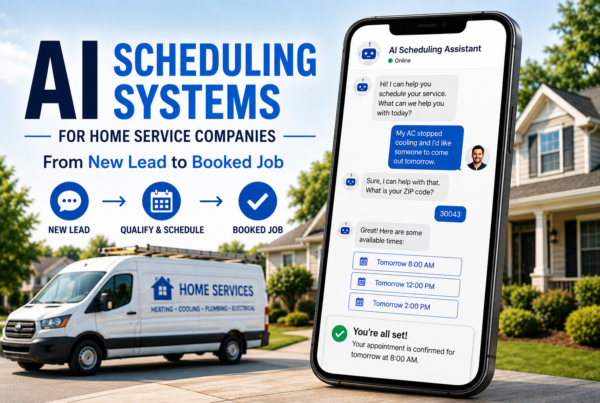


You’re too busy fixing leaks and running service calls to chase down every lead within five minutes. But you also know that the plumber who responds first usually gets the job.
The problem isn’t wanting to follow up quickly. It’s physically being under a sink, in an attic, or stuck in traffic when that website form comes through. By the time you call back, the customer already booked someone else.
Automation solves the speed problem. But most plumbers worry it’ll make their business feel robotic, impersonal, or worse—like they’re trying too hard. This guide walks you through how to automate plumbing lead follow-up in a way that actually sounds like you, builds trust faster, and keeps your phone ringing without adding hours to your week.
Table of Contents
- Which Type of Plumber Are You?
- What Plumbing Lead Follow-Up Automation Actually Means
- Why Speed Matters More Than Perfect Messaging
- Personal vs. Automated: The Real Difference
- What to Automate (and What to Keep Human)
- How to Set Up Follow-Up Automation That Sounds Like You
- Common Mistakes That Make Automation Feel Robotic
- Frequently Asked Questions
Which Type of Plumber Are You?
The Solo Operator
You run the truck, answer the phone, and do the work. Every minute spent following up is a minute not earning. You need automation that responds instantly while you’re on a job, then reminds you to call back when you’re free.
The Growing Team
You’ve got 2–5 trucks and someone handling the office part-time. Leads come in throughout the day but don’t always get followed up consistently. You need automation that ensures no lead falls through the cracks and routes the right jobs to the right tech.
The Established Business
You have dedicated office staff and multiple revenue streams. Lead volume is high, but conversion tracking is a mess. You need automation that scales with your business, tracks ROI by lead source, and frees your team to focus on customer experience instead of data entry.
What Plumbing Lead Follow-Up Automation Actually Means
Automation doesn’t mean robots answering your phone. It means software that sends pre-written messages at the right time without you clicking send.
When someone fills out your contact form, calls and hangs up, or requests a quote online, automation can:
- Send an instant text acknowledging their request
- Trigger an email with helpful information about what happens next
- Schedule a reminder for you to call them back within an hour
- Follow up again if they don’t respond the first time
- Track which messages they opened and which links they clicked
The key is that you write the messages once. The software just delivers them based on triggers you set up.
Why Speed Matters More Than Perfect Messaging
Here’s what most plumbers don’t realize: customers aren’t waiting around for you to craft the perfect callback. They’re texting three other plumbers at the same time.
Research from lead response studies shows that companies responding within five minutes are 400% more likely to qualify the lead than those waiting 30 minutes. For emergency plumbing jobs, that window is even smaller.
↑ What Pushes Response Time Up
- Being on a job with no cell signal
- Waiting to call until you’re “between jobs”
- Manually checking email or voicemail
- Trying to personalize every first message
- Assuming they’ll wait because you’re worth it
↓ What Keeps Response Time Down
- Instant automated acknowledgment texts
- Pre-written templates that sound human
- Software that notifies you immediately
- Clear next steps in the first message
- Follow-up sequences that don’t require you to remember
Speed builds trust. A fast response signals that you’re organized, reliable, and actually want their business. That matters more than a beautifully worded message that arrives three hours late.
Pro Tip: For emergency plumbing requests (burst pipes, no hot water, backed-up sewers), set automation to trigger within 60 seconds. For estimate requests, within 5 minutes is acceptable. Know the difference and adjust your timing accordingly.
Personal vs. Automated: The Real Difference
Most people think “automated” means cold and impersonal. That’s only true if you write it that way.
The difference between a message that feels robotic and one that feels personal has nothing to do with whether software sent it. It’s about tone, specificity, and timing.
Generic Automated Message (Feels Robotic)
“Thank you for contacting ABC Plumbing. Your request is important to us. A team member will reach out soon. For immediate assistance, call 555-1234.”
Personal Automated Message (Feels Human)
“Hey [Name], this is Mike from Reliable Plumbing. Got your message about the water heater issue. I’m wrapping up a job in [neighborhood], but I’ll call you within the hour to talk through what’s going on and get you scheduled. If it’s an emergency and you need someone sooner, call me directly at 555-1234. —Mike”
Notice the difference? The second one:
- Uses the customer’s name and references their specific issue
- Comes from a real person (not “the team”)
- Sets a clear expectation (within the hour)
- Provides context (wrapping up a job nearby)
- Offers an escape hatch (call if it’s urgent)
Both were sent by software. Only one sounds like a person wrote it specifically for them.

What to Automate (and What to Keep Human)
Not everything should be automated. The goal is to use automation for speed and consistency, then add human touch where it actually matters.
✅ Automate This
- Immediate acknowledgment (text or email)
- Appointment confirmations and reminders
- Follow-up if they don’t respond in 24 hours
- Educational content (how to prevent clogs, etc.)
- Post-job review requests
- Seasonal maintenance reminders
🚫 Keep This Human
- Initial phone call to discuss the problem
- Providing estimates or pricing
- Handling complaints or service issues
- Complex questions about scope or process
- Relationship-building with repeat customers
- Upselling additional services
Think of automation as the assistant that makes sure nothing falls through the cracks. It buys you time to have better conversations when it actually matters.
For more context on how digital marketing for plumbers fits into the bigger picture of lead management, that guide covers the full customer journey from search to booking.
How to Set Up Follow-Up Automation That Sounds Like You
Setting up automation isn’t complicated, but it does require some upfront thought. Here’s the process most successful plumbing businesses follow.
Step 1: Map Out Your Current Follow-Up Process
Before automating anything, write down what you want to happen when a lead comes in. Not what happens now, but the ideal process if you had unlimited time.
- Lead submits form → acknowledge within 2 minutes
- Call them back → within 1 hour
- If no answer → leave voicemail and send text
- If still no response → follow up next day with helpful resource
- Final touchpoint → 3 days later with “last chance” framing
That’s your automation blueprint. Now you just need software to execute it.
Step 2: Choose Your Automation Tool
You don’t need expensive enterprise software. Most plumbing businesses do fine with:
- Simple email/text automation (MailChimp, ActiveCampaign, Constant Contact)
- CRM with built-in automation (HubSpot, Jobber, ServiceTitan)
- All-in-one platforms (GoHighLevel, LeadConnector)
- AI voice agents that handle initial call screening and routing
Pick based on volume, not features. If you’re getting 5–10 leads per week, start simple. If you’re handling 50+ leads monthly, invest in a real CRM.
Step 3: Write Templates That Sound Like You
This is where most people mess up. They write formal, corporate-sounding messages because they think automation requires it.
Instead, write like you’d text a neighbor. Use contractions. Keep sentences short. Sign it with your actual name.
Example First Message Template:
“Hi [First Name], this is [Your Name] from [Company]. Just got your request about [issue they mentioned]. I’m finishing up a job but I’ll call you in the next hour to talk through what’s happening and figure out next steps. If you need someone out there today, text me back and I’ll see what I can move around. —[Your Name]”
Notice: no corporate speak. No “We appreciate your business.” Just clear, human communication.
Step 4: Set Up Triggers and Timing
Triggers tell the software when to send messages. Common triggers for plumbers:
- Form submission → send acknowledgment text immediately
- Missed call → send “Sorry I missed you” text within 60 seconds
- No response after 24 hours → send follow-up email with helpful content
- 3 days no contact → final “checking in” message
- Job completed → request review 2 days later
Don’t overwhelm people. Three to five touchpoints over a week is plenty. More than that feels desperate.
If you’re running paid ads and getting emergency leads from Google Ads for plumbers, make sure your automation distinguishes between “quote request” and “emergency service needed.” Response timing should be different.
Step 5: Test and Refine Monthly
Automation isn’t “set it and forget it.” Review your metrics monthly:
- What percentage of leads respond to the first message?
- Which follow-up gets the most engagement?
- Are people unsubscribing or marking messages as spam?
- How long does it take from first contact to booking?
If a message isn’t working, rewrite it. If timing feels off, adjust it. Good automation evolves based on real performance, not assumptions.
Common Mistakes That Make Automation Feel Robotic
Even well-intentioned automation can backfire if you make these mistakes.
🚩 Using Generic Greetings
“Dear valued customer” or “Hello there” screams automation. Use their actual first name. If your software can’t pull it from the form, fix your form setup.
🚩 Sending Too Many Messages
More touchpoints don’t mean better results. If someone hasn’t responded after three attempts over five days, they’re either not interested or not ready. Stop.
🚩 Ignoring Time Zones
Sending texts at 7 AM or 9 PM feels intrusive. Set automation to only send during business hours (8 AM–6 PM in their local time zone).
🚩 Not Personalizing the Issue
If they said “water heater broken” in the form, mention it in your message. Don’t send a generic “thanks for reaching out” response that ignores what they actually need.
🚩 No Clear Next Step
Every message should tell them what happens next. “I’ll call you within an hour” or “Reply YES if you’d like me to send pricing info” gives them a clear action to expect.
🚩 Forgetting to Update Templates
If your availability changes, update your messages. Nothing kills trust faster than saying “I’ll call in an hour” when you’re actually booked two days out.
Caution: Never automate apologies or complaint responses. If someone has a problem with your service, that requires a real conversation. Automation is for leads and logistics, not damage control.
Many plumbers struggle with this because their plumbing website isn’t converting visitors in the first place. Automation only amplifies what’s already working—if your site isn’t clear about next steps, automation won’t fix that.
How Automation Fits Into Your Bigger Marketing Strategy
Follow-up automation is just one piece of the puzzle. It only works if the rest of your marketing infrastructure is pulling its weight.
If you’re not showing up in local search, automation won’t help. If your Google Business Profile isn’t optimized, you’re not getting enough leads to automate in the first place. Automation is the middle of the funnel, not the top.
Before You Automate
- Make sure your website converts visitors
- Optimize your Google Maps ranking
- Build a system for collecting reviews
- Clarify your service area and hours
During Automation
- Respond instantly with personalized messages
- Set clear expectations for next steps
- Track which messages get responses
- Follow up consistently without being pushy
After the Job
- Automate review requests
- Send seasonal maintenance reminders
- Stay top-of-mind with helpful tips
- Turn one-time customers into repeat clients
If you’re serious about growing your plumbing business through smarter systems, understanding how to rank higher in Google Maps is just as important as automating follow-up. You need both ends working together.
Similarly, getting customers to leave reviews doesn’t happen by accident. Check out how plumbers can improve review SEO to see how automation helps turn satisfied customers into public advocates.
Frequently Asked Questions
What is plumbing lead follow-up automation?
+
Plumbing lead follow-up automation uses software to send timely messages to new leads without manual effort. It triggers pre-written emails, texts, or voicemails based on actions like form submissions or missed calls. The goal is to respond faster while maintaining a personal tone that reflects your business.
How quickly should plumbers follow up with new leads?
+
Industry data shows that responding within five minutes increases conversion rates by 400% compared to waiting 30 minutes. Automated systems can acknowledge leads instantly, then trigger a personal call within the hour. Speed matters most for emergency plumbing requests where customers contact multiple companies simultaneously.
Can automated follow-up feel personal?
+
Yes, when done correctly. Personalization comes from using the lead’s name, referencing their specific request, and timing messages appropriately. Avoid generic templates. Write automated messages in your actual voice, include your name, and make it clear a real person will follow up. The automation handles timing and delivery while you control the tone.
What’s the biggest mistake plumbers make with follow-up automation?
+
Setting it up once and forgetting about it. Lead quality changes, customer expectations shift, and your business evolves. The biggest mistake is treating automation as set-it-and-forget-it technology. Review performance monthly, update message templates quarterly, and adjust timing based on actual response rates.
How many automated follow-ups should plumbers send before stopping?
+
Three to five touchpoints over seven days works for most plumbing businesses. Start with an immediate acknowledgment, follow with a call attempt within an hour, send a helpful resource on day two, make a final offer on day five. Stop if they respond, book, or explicitly opt out. More messages don’t equal better results.
Do plumbers need expensive CRM software for follow-up automation?
+
Not necessarily. Simple automation tools start around $20-50 per month and handle basic text and email sequences. Full CRMs with advanced automation range from $100-300 monthly but offer scheduling integration, pipeline tracking, and detailed analytics. Choose based on lead volume and complexity, not features you won’t use.
The Bottom Line on Automating Follow-Up Without Losing the Human Touch
Automation doesn’t replace personal service. It makes personal service scalable.
The plumbers who win aren’t the ones with the fanciest software. They’re the ones who respond fast, communicate clearly, and make it easy to do business with them. Automation just helps them do that for every lead, not just the ones who happen to call at the right time.
If you’ve been losing leads because you can’t respond fast enough, start simple. Write three good templates, set up basic triggers, and test it for a month. You’ll see immediately whether it’s working based on how many more conversations you’re having.
And if you’re ready to build a system that handles leads, reviews, and customer communication without adding work to your plate, that’s exactly what we help plumbing businesses do.
Want Help Setting Up Automation That Actually Converts?
We work with plumbing businesses to build lead follow-up systems that feel human, respond fast, and turn more inquiries into booked jobs. No pressure, no pitch—just a conversation about what’s working, what’s not, and what you actually need.